
Only use the product for its intended household purpose. Read this important information carefully before you use the product and its batteries and accessories, and save it for future reference. Misuse can lead to hazards or serious injuries. The accessories supplied may vary for different products.
Warning
- To charge the appliance, only use Philips IPX4 supply unit HQ87, available separately on www.philips.com/parts-and-accessories or via the Consumer Care Center in your country (see the international warranty leaflet for contact details).
- Keep the USB cable, the USB supply unit and the charging stand (if provided) dry.

- This appliance is waterproof. It is suitable for use in the bath or shower and for cleaning under the tap. For safety reasons, the appliance can therefore only be used without cord.
- This appliance can be used by children aged from 8 years and above and persons with reduced physical, sensory or mental capabilities or lack of experience and knowledge if they have been given supervision or instruction concerning use of the appliance in a safe way and understand the hazards involved. Children shall not play with the appliance. Cleaning and user maintenance shall not be made by children without supervision.
- Do not modify the supply unit.
- Do not use the supply unit in or near wall sockets that contain an electric air freshener to prevent irreparable damage to the supply unit.
- Do not use a damaged appliance. Replace damaged parts with new Philips parts.
- Because of hygiene, only one person should use the appliance.
- Unplug the appliance before cleaning it with water.
- Only use cold or lukewarm water to clean the appliance.
- Never use compressed air, scouring pads, abrasive cleaning agents or aggressive liquids to clean the appliance.
- Be careful when handling your smartphone near water and in moist environments.
- The radio waves of Bluetooth-enabled products may impair the operation of pacemakers and other medical devices. Consult your phycisian for advice and keep the product at least 20 cm away.
Electromagnetic fields (EMF)
This Philips appliance complies with all applicable standards and regulations regarding exposure to electromagnetic fields.
Congratulations on your purchase and welcome to Philips! To fully benefit from the support that Philips offers, register your product at www.philips.com/welcome.
Note: Accessories may vary depending on the model purchased. Please refer to the product packaging to find out which accessories are included with your product.
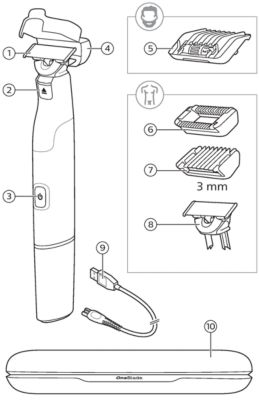
- 360 blade for face
- Blade release slide
- On/off button
- Protection cap
- 5-in-1 comb
- Skin guard
- Body comb
- Original blade for body
- USB-C charging cable
- Note: Philips HQ87 IPX4 (splash resistant) adapter is available for purchase separately.
- Travel case
Connecting to the OneBlade app
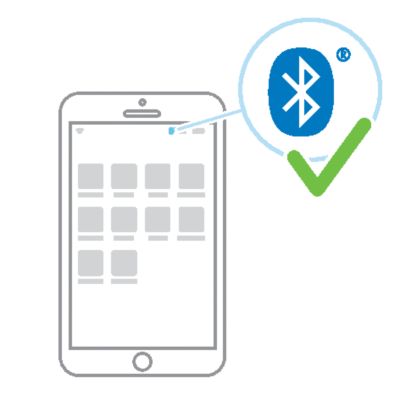
- To connect your Philips OneBlade to the app, make sure Bluetooth is enabled on your phone. Keep your OneBlade nearby while connecting.
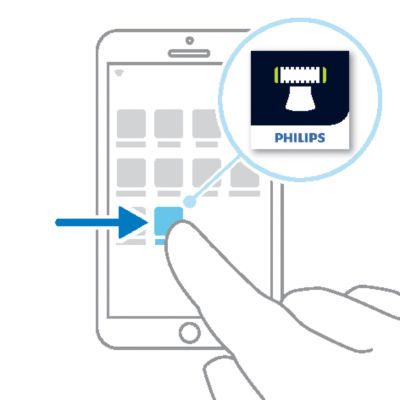
- Open the app
-
- Open the OneBlade app (available in the App Store and Google Play Store) and follow the on-screen instructions to connect a device.
- Switch on your OneBlade
-
- Switch on your OneBlade to begin pairing.
- Connected
-
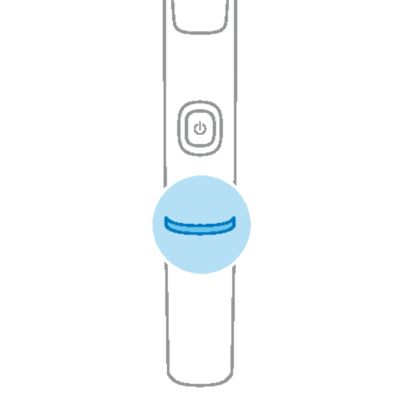
- When the connection is established, the light ring will flash blue twice to indicate that your OneBlade is ready to use.
Charging OneBlade
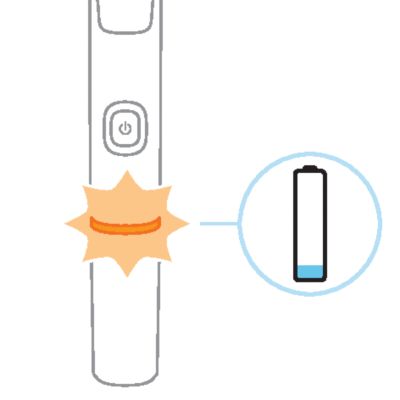
- When the battery is low, the light ring on the handle will flash orange.
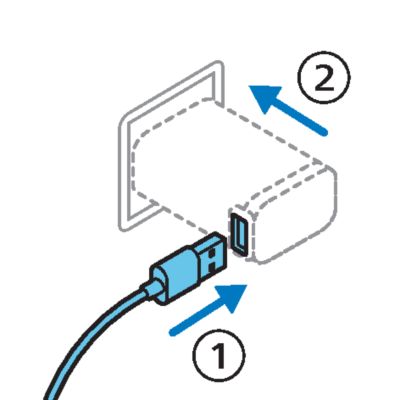
- Plug one end of the cable into a Philips HQ87 IPX4 (splash resistant) USB adapter, and the other end into the handle.
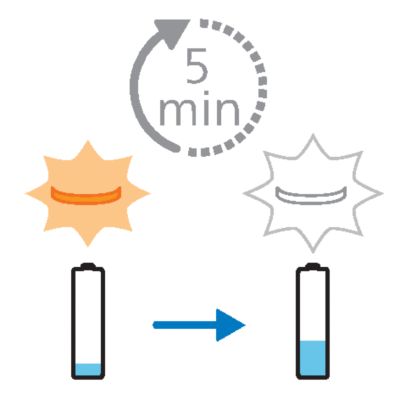
- After 5 minutes of charging, the battery contains enough charge for one shave.
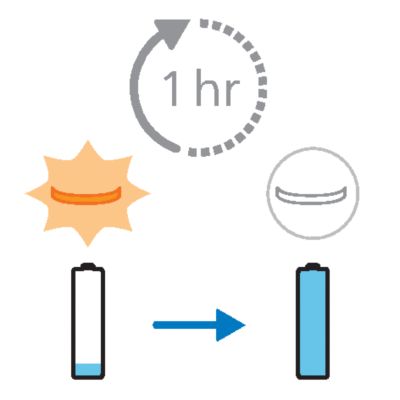
- To fully charge the battery, allow it to charge for 1 hour.
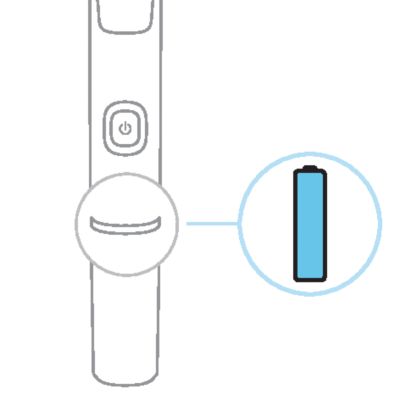
- When the battery is fully charged, the light ring lights up in white continuously.
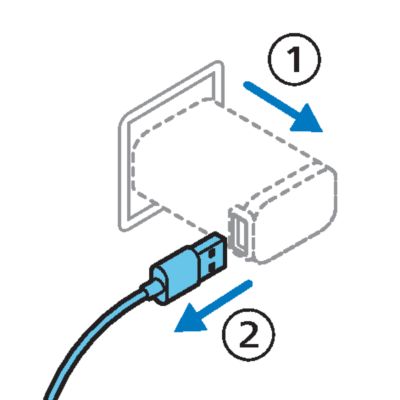
- Unplug the adapter from the power source, then remove the cable from the handle.
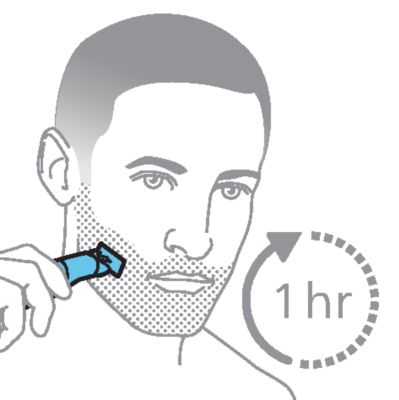
- A fully charged OneBlade has an operating time of approximately 1 hour.
- To charge the product, only use a certified safety extra low voltage (SELV) supply unit with output rating 5 V, ≥ 1 A. For safe charging in a moist environment (e.g. in a bathroom), only use an IPX4 (splash-proof) supply unit. A suitable supply unit (e.g. Philips HQ87) is available via www.philips.com/support. If you need support finding the correct USB supply unit, contact the Consumer Care Center in your country (see the international warranty leaflet for contact details). Using a non-certified supply unit may cause hazards or serious injuries.
Choosing the correct blade
Depending on the model purchased, your OneBlade pack includes either one or two different types of blade. Refer to the Product overview and General description to find out which blade you have.
- The 360 blade (recognizable by its U-shaped construction) is designed to closely follow the contours of your face.
- The Original blade is the perfect all-rounder for day-to-day shaving and grooming on both your face and body.
For hygiene reasons, it is recommended to use different blades for your face and body.
- If your model includes a 360 blade, it is recommended to use that blade type for your face.
Note: all OneBlade models are compatible with both types of blade, and both can be ordered as replacement parts.
Shaving and edging
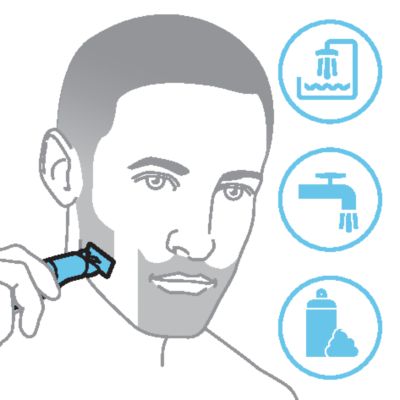
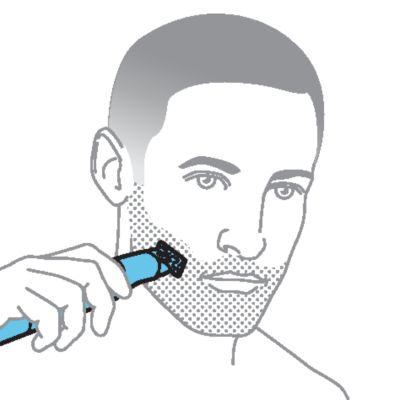
To shave your face with your OneBlade, remove any combs or guards. Your OneBlade is waterproof, so you can shave in the shower or with foam or gel.
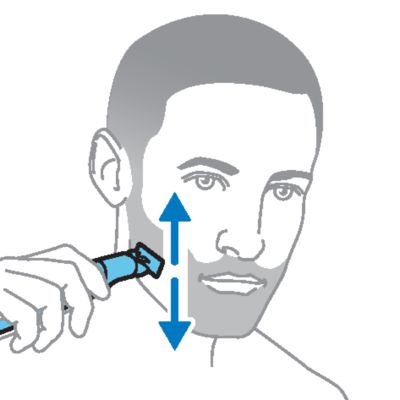
Make long, slow and steady strokes, applying gentle pressure with the blade flat against your skin. Use both sides of the blade.
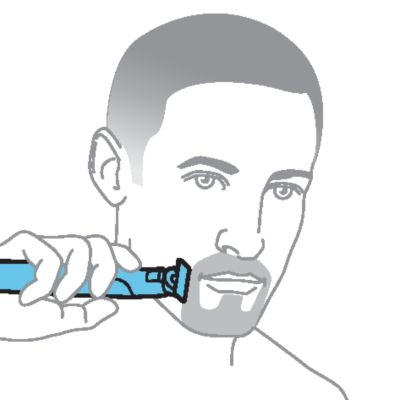
Edge your beard, mustache or sideburns by holding the blade perpendicular to your skin.
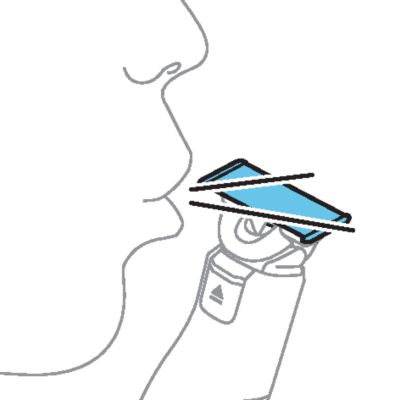
For best results, clean your OneBlade after each use.
Trimming

- To trim the length of your facial hair, use the 5-in-1 comb provided.
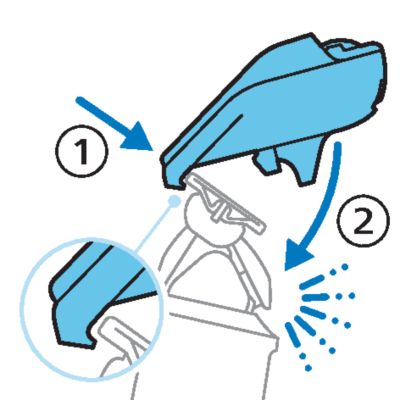
- Hook the back of the comb over the back of the blade, then gently press the front of the comb downwards until it clicks into place.
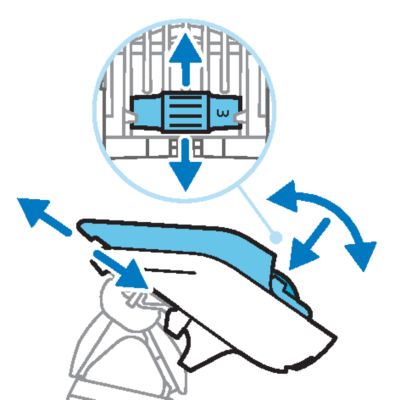
- Use the dial on the top of the comb to set the length between 1 mm and 5 mm. The numbers on the comb relate to the remaining hair length in millimeters.
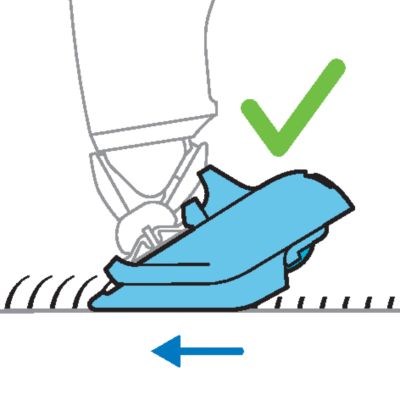
- Trim against the direction of hair growth, with the teeth of the comb flat against your skin.
To detach the comb, lift it from the back of the handle until you hear a click. Gently lift the comb off the blade. For best results, clean your OneBlade after each use.
Shaving body hair
If your OneBlade includes multiple blades, using different blades for your face and body is advised to maintain good hygiene.
Areas including your chest, stomach and legs can be shaved using the bare blade, in the same way as shaving your face.
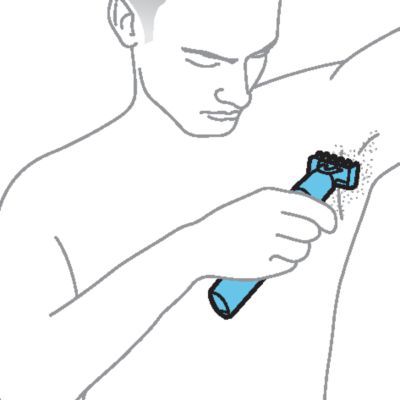
Note: to minimize the risk of cuts always use the skin guard when trimming sensitive areas. This includes when shaving your armpits or groin (including scrotum).
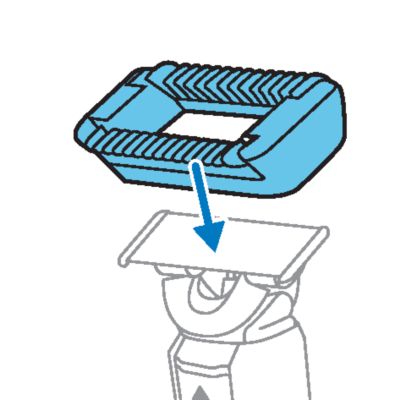
- If you are using the skin guard, place it onto the blade and gently press until it clicks into place.
- Switch on your OneBlade, and place the blade flat against your skin.
-
- Make long, steady strokes, exerting gentle pressure and allowing the blade to glide across the surface of your skin.
- Tip: on certain areas, using the fingers of your free hand to spread the skin and hold it taut will provide better results.
- The blade and skin guard are double sided. Move the blade back and forth to catch hairs growing in different directions.
-
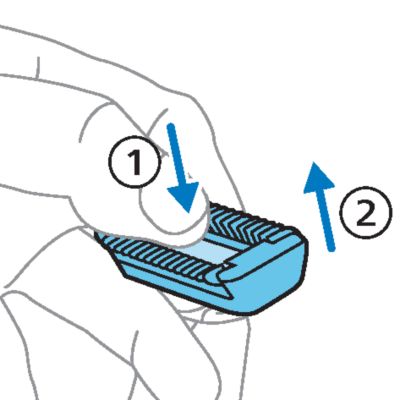
- Clean your OneBlade after each use. If you used the skin guard, press your thumb onto the exposed flat surface of the blade, and use your fingers to gently pull off the skin guard before cleaning.
Trimming body hair
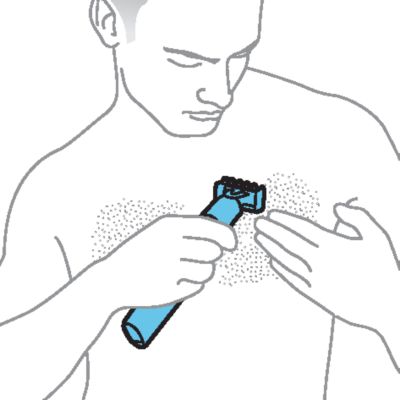
The 3 mm (1/8 inch) body comb allows you to trim hair on your body below the neckline (for example chest, armpits and groin).
Note: For delicate areas such as the groin or armpits, only trim when the comb or skin guard is attached.
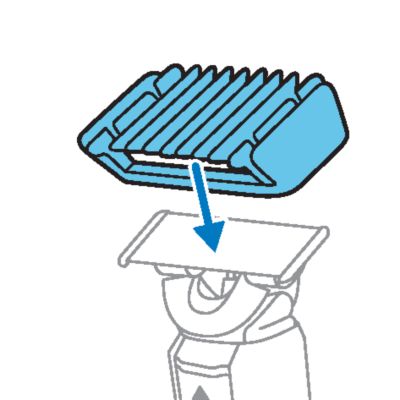
- Place the guard onto the blade and gently press until it clicks into place.
-
- Trim against the direction of hair growth, with the teeth of the guard flat against your skin. The guard is double sided, so you can move your OneBlade back and forth to cut hairs growing in different directions.
- To detach the guard, hold the handle firmly and gently lift the guard off the blade. For best results, clean your OneBlade after each use.
Cleaning OneBlade
- For a quick clean, simply blow on the blade and any accessories to remove hairs and dirt.

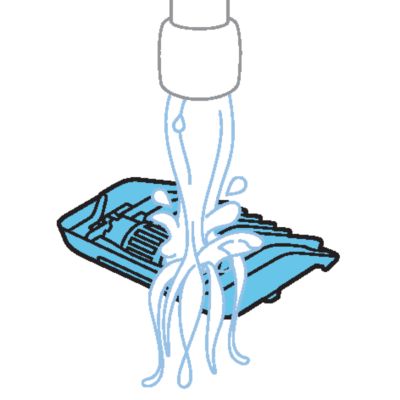
- Switch on your OneBlade and rinse it under the tap with cold or lukewarm water. If you shave with foam or gel, be sure to remove all residue after each shave.
- Combs and guards can also be cleaned under the tap using warm water.
Storage
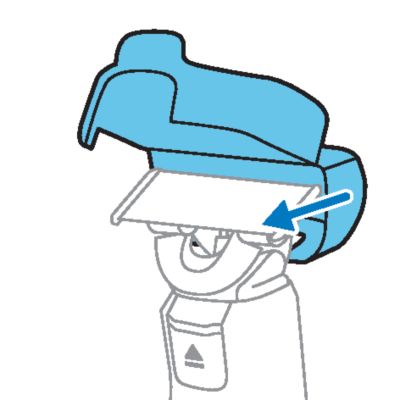
Place the protection cap around the blade and close it securely before storing your OneBlade in a drawer, backpack or suitcase.
When it's time to use your OneBlade again, simply open the protection cap from the bottom and lift it off the blade.
When to replace the blade

We recommend replacing the blade of your OneBlade at least once every four months, or whenever the blade shows signs of wear.
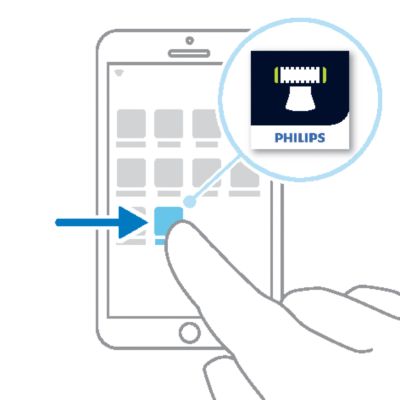
If notifications are enabled, you will receive a notification in the app when it's time to replace the blade.
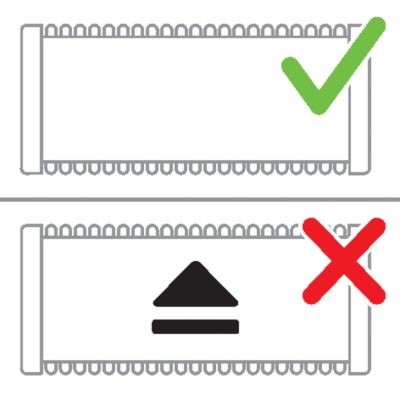
A replacement symbol will gradually appear on the blade as you use it. When the replacement symbol is fully visible, it's recommended to replace your blade.
Tip: the replacement symbol resembles the arrow icon on the handle of your OneBlade. For older blades, a green rectangle may appear in place of the replacement symbol.
Note that accessories such as guards can prevent the replacement symbol from becoming visible.
If you notice any damage on your blade, please replace it immediately.
How to replace the blade
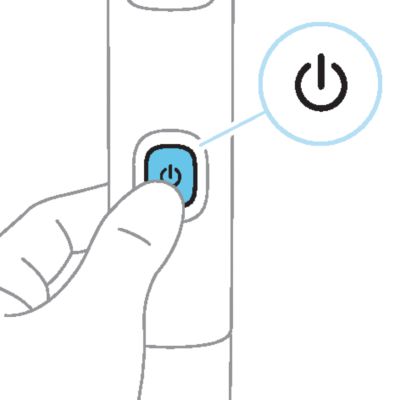
- Before you begin, make sure your OneBlade is switched off.
- Take off any accessories such as combs or guards.
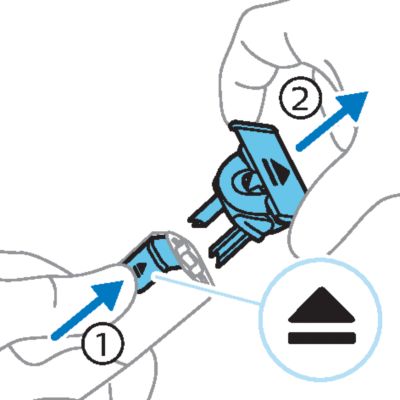
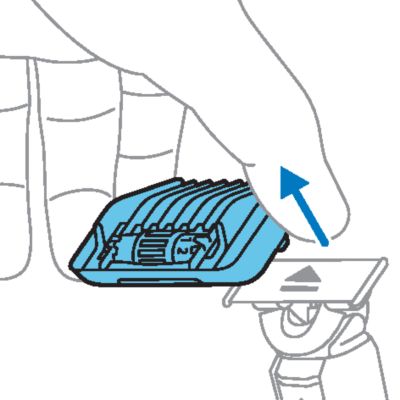
- Press the blade release slide upwards. Lift off the old blade, holding it by both short sides.
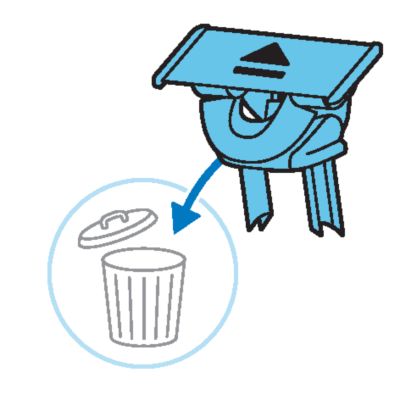
- The old blade can be discarded with your normal household waste.
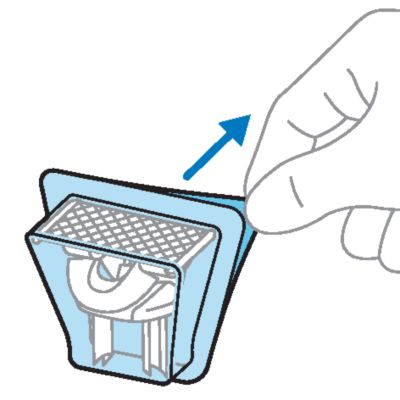
- Remove your replacement blade from the packaging. To avoid damaging the blade, don't use sharp objects or crush the packaging.
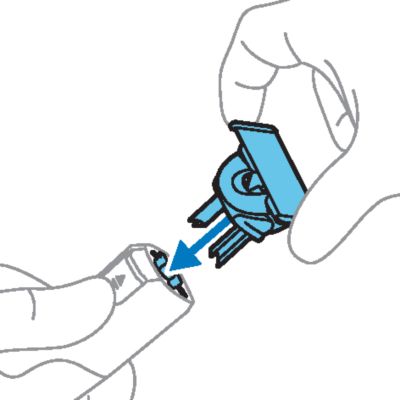
- Hold the new blade by both short sides and insert the protrusions on the bottom of the blade into the slots on the OneBlade handle.
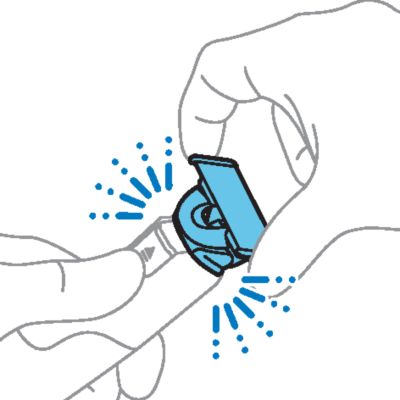
- Gently press the blade downwards onto the handle until it clicks into place.
- Your OneBlade is now ready to use.
To buy accessories or spare parts, visit www.philips.com/parts-and-accessories or visit a Philips dealer. You can also contact Philips Consumer Care at https://www.philips.com/contact for support.
If you need information or support, please visit www.philips.com/support or read the international warranty leaflet.
Warranty restrictions
Cutting units are not covered by the terms of the international warranty because they are subject to wear.
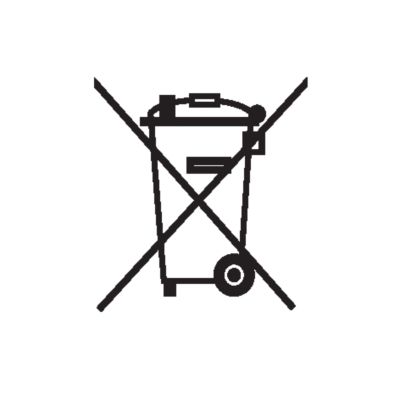
- This symbol means that electrical products and batteries shall not be disposed of with normal household waste.
- Follow your country’s rules for the separate collection of electrical products and batteries.
Removal of built-in rechargeable battery
The built-in rechargeable battery must only be removed by a qualified professional when the appliance is discarded. Before removing the battery, make sure that the appliance is disconnected from the wall socket and that the battery is completely empty.
Take any necessary safety precautions when you handle tools to open the appliance and when you dispose of the rechargeable battery.
When you handle batteries, make sure that your hands, the product and the batteries are dry.
To avoid accidental short-circuiting of batteries after removal, do not let battery terminals come into contact with metal objects (e.g. coins, hairpins, rings). Do not wrap batteries in aluminum foil. Tape battery terminals or put batteries in a plastic bag before you discard them.
- Check if there are screws in the back or front of the appliance. If so, remove them.
- Remove the back and/or front panel of the appliance with a screwdriver. If necessary, also remove additional screws and/or parts until you see the printed circuit board with the rechargeable battery.
- Remove the rechargeable battery.
Apple, the Apple logo, iPad, and iPhone are trademarks of Apple Inc., registered in the U.S. and other countries. App Store is a service mark of Apple Inc.
Android is a trademark of Google Inc. Google Play and the Google Play logo are trademarks of Google Inc.
The Bluetooth® word mark and logos are registered trademarks owned by the Bluetooth SIG, Inc. and any use of such marks by Koninklijke Philips N.V. is under license.